
Turn any prospect page into pipeline.
Capture a prospect, verify their email and phone number, assign ownership, and start the next action without leaving the page.






Prospecting
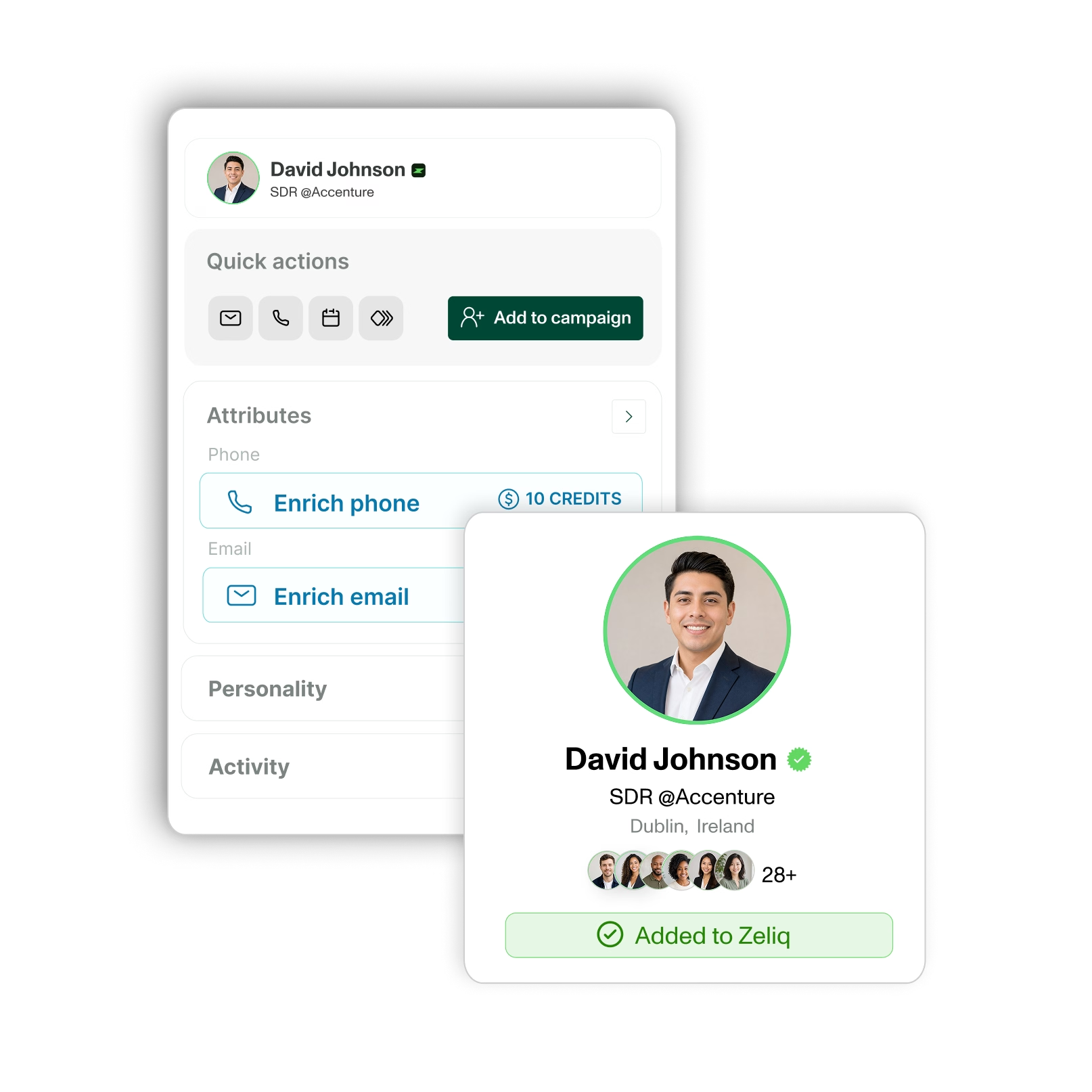
Capture a prospect in one click.

Pull verified contact details and enriched company data into Zeliq without tabs, spreadsheets, or manual entry.
One-window workflow
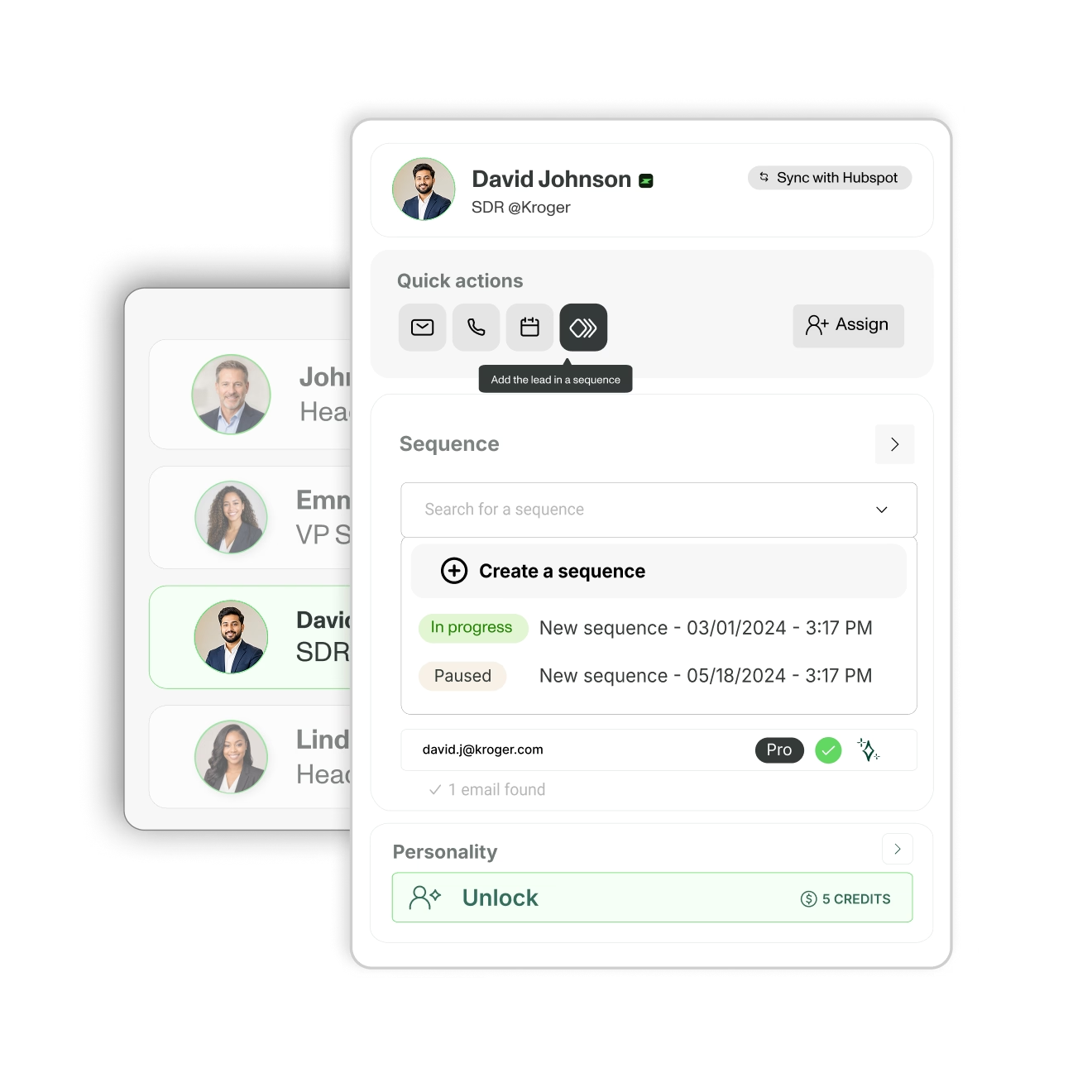
Capture, assign, and act without changing tabs.

Use Zeliq on supported profiles, search pages, company pages, and your CRM to create leads and follow-up tasks in one window.
CRM sync
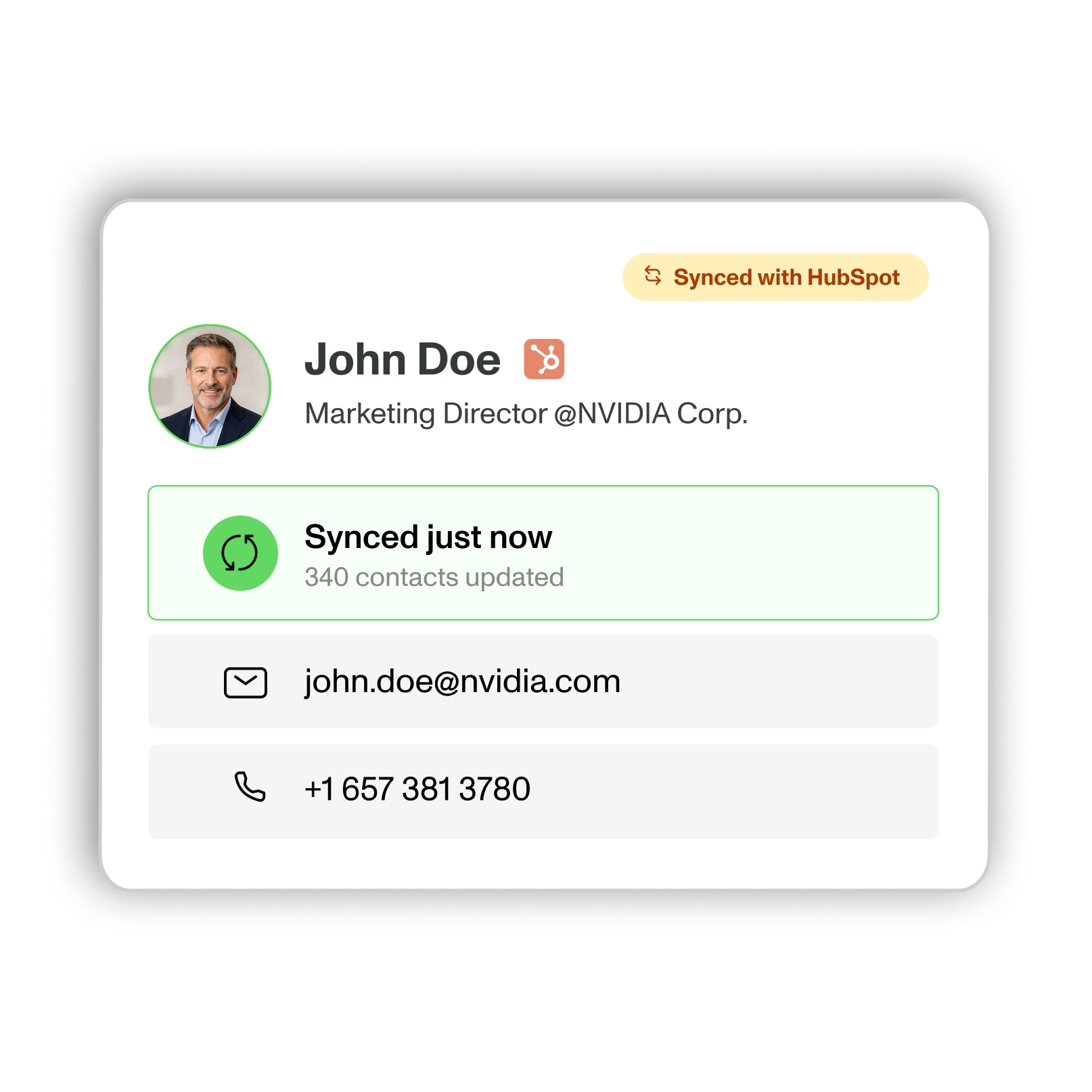
Keep HubSpot updated as you prospect.

Sync contacts, tasks, and activities between Zeliq and HubSpot as your team works—reducing manual updates and missing context.
See it in action
From browsing to pipeline.
Capture, verify, and activate prospects right where you find them, without switching tools or losing context.
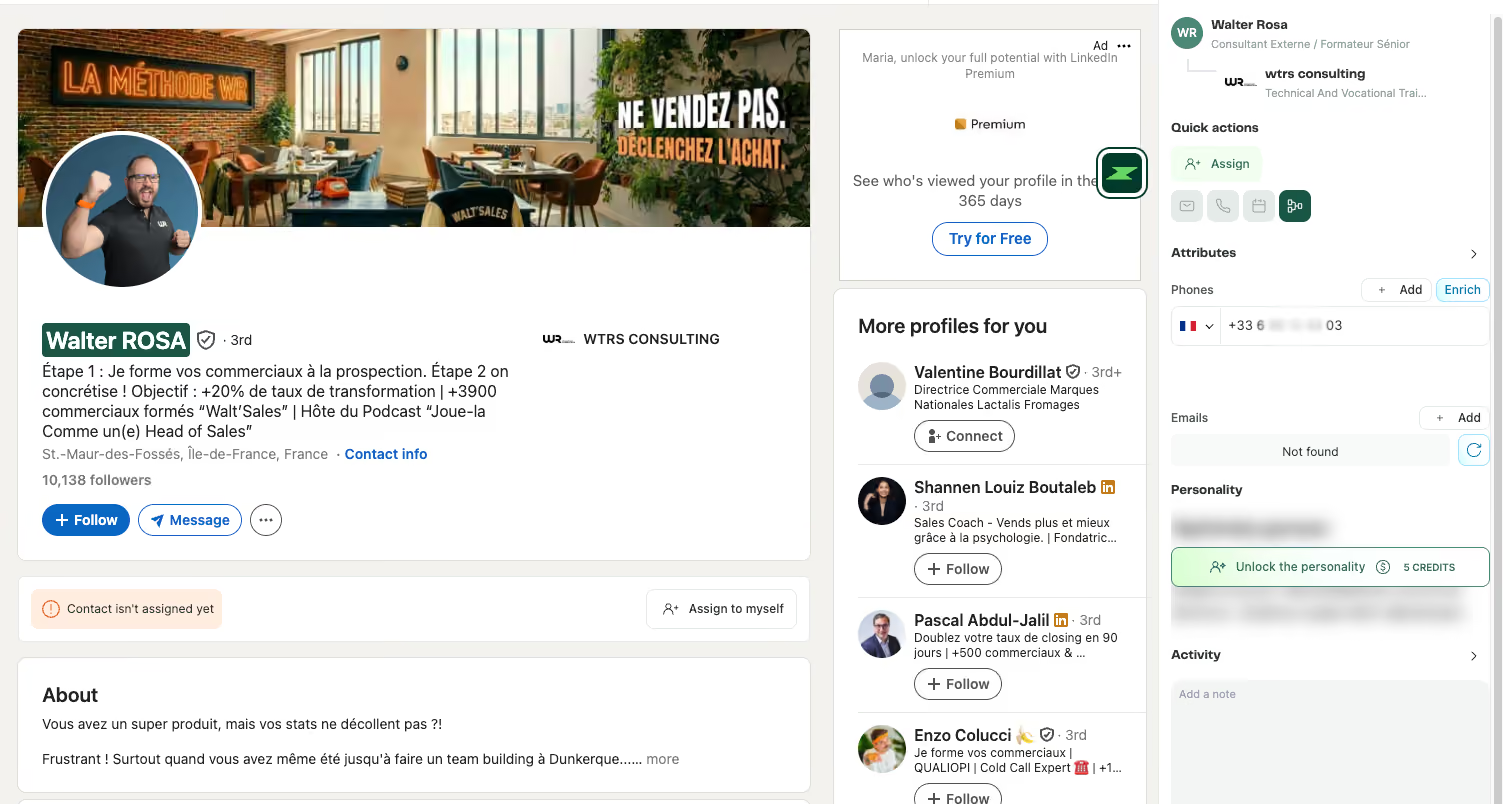
Works wherever you browse
Spot
Find a prospect on a supported profile, search page, or company page.

Capture
Pull verified email, phone, and company data into Zeliq and sync it to your CRM.

Activate
Add the prospect to a sequence, create a task, or assign it to a teammate.
Contact data is just
the start.
Traditional contact finder
Find contact data, then export it to act.
Often limited to one network or page type.
CRM updates require manual work or another tool.
Assignment, tasks, and follow-up happen elsewhere.
Built for lookup, not the full workflow.
Zeliq Chrome Extension
Verified data on capture: up to 80% email, 60% phone.
Works across supported profiles, search pages, and company pages.
Capture, assign & act in one window.
Sync contacts, tasks, and activities with HubSpot.
Built to turn browsing into pipeline.
An email finder Chrome extension built for the next step
Most email finder Chrome extensions stop at the lookup. You find an address, then copy it into another tool. The Zeliq extension finds the email and the phone number. Then you act on the same page.
Zeliq checks several data providers in a waterfall. A credit is used only when a valid email is delivered.
What changes with Zeliq.
Find, verify, and activate prospects from one platform
with broader coverage and less manual work.
80% / 60%
email and phone match rates.
50%
less time to first meeting.
Up to 4x
more leads managed per rep.
Their words, not ours.


Zeliq is a no-brainer for my clients, especially for enrichment. I recommend it whenever I can and the recurring commissions are a bonus I really appreciate.


"Halved prospecting effort, doubled SDR results."


“Zeliq has been a game-changer. Reliable data has transformed our sales process and let us scale outreach like never before.”


“Managing accounts like Accor means targeting hundreds of affiliates. Without Zeliq, I couldn't do it.”


Phone numbers, emails, LinkedIn sequences. All in one. Zeliq did better than our previous tool on phone enrichment.


"Amazing experience from A to Z. A must have for our sales team. Thank you Zeliq!"


"The best alternative to Kaspr to Lusha for mobile numbers."


"Zeliq's API was a game-changer. The ability to increase the rate limit perfectly matched the volume and cadence we needed for our client, where other tools kept breaking our workflows."


"Zeliq boosts lead generation with personalized prospecting and saves time by automating all CRM enrichment."


"There are many phone numbers and integration with Chrome Extension and social messages works well. Easy and intuitive. Very responsive customer support."


"Easy to use, Zeliq provides many professional and personal numbers, and its contact enrichment feature lets you retrieve missing numbers later, which is very useful."


Finish the gas-guzzling prospecting machines and the outdated databases. Zeliq is easy to use and offers a comprehensive database, find numbers efficiently and simply.


"Zeliq is a great, easy-to-use tool with a comprehensive database of phone numbers and emails, offering many features yet to explore."


“Zeliq saves us a huge amount of time—across three users, it’s like saving one and a half full-time positions.”


"The data is higher quality, the processes are simpler... and that is priceless. We've cut our prospecting time in half."


"I use Zeliq for email sequences; its AI smooths my first demo call, adds leads from the database, and flags errors to avoid unprofessional emails."


Reliable phone numbers and emails, multichannel sequences without spending hours on it. No more bounces, no more obsolete numbers.
Turn your next prospect into your next pipeline action.
Install the extension, capture a prospect, and start your next action from the page where you found them.
15,000+ users | Free to install | GDPR-conscious workflows
FAQ
Do I need a Zeliq account to use the extension?
Yes. Install the extension, then log in or create a free account. No setup, no configuration.
Is the extension free?
Installing is free. The extension works across all Zeliq plans, including the free Basic plan.
Where does the extension work?
On supported profile, search, and company pages, and inside HubSpot. Wherever you research and reach prospects.
Does it sync with my CRM?
Yes. Contacts, tasks, and activities sync in real time with HubSpot, one by one or in bulk.
Is Zeliq GDPR compliant?
Yes. Zeliq is fully GDPR compliant and follows strict data protection standards to keep your data secure. See our Legals, Privacy and Terms of use.
How do I find someone's email with the Zeliq Chrome extension?
Open a supported profile, search page, or company page. Click the Zeliq extension, then capture the prospect. Zeliq returns the verified email and phone number it finds. You can then add the contact to a sequence.
How many free credits do I get?
New accounts get 50 free credits. You can start a 14-day Starter trial with no credit card, then keep the free Basic plan. See the current plans on the pricing page.

